

Scraper Macros
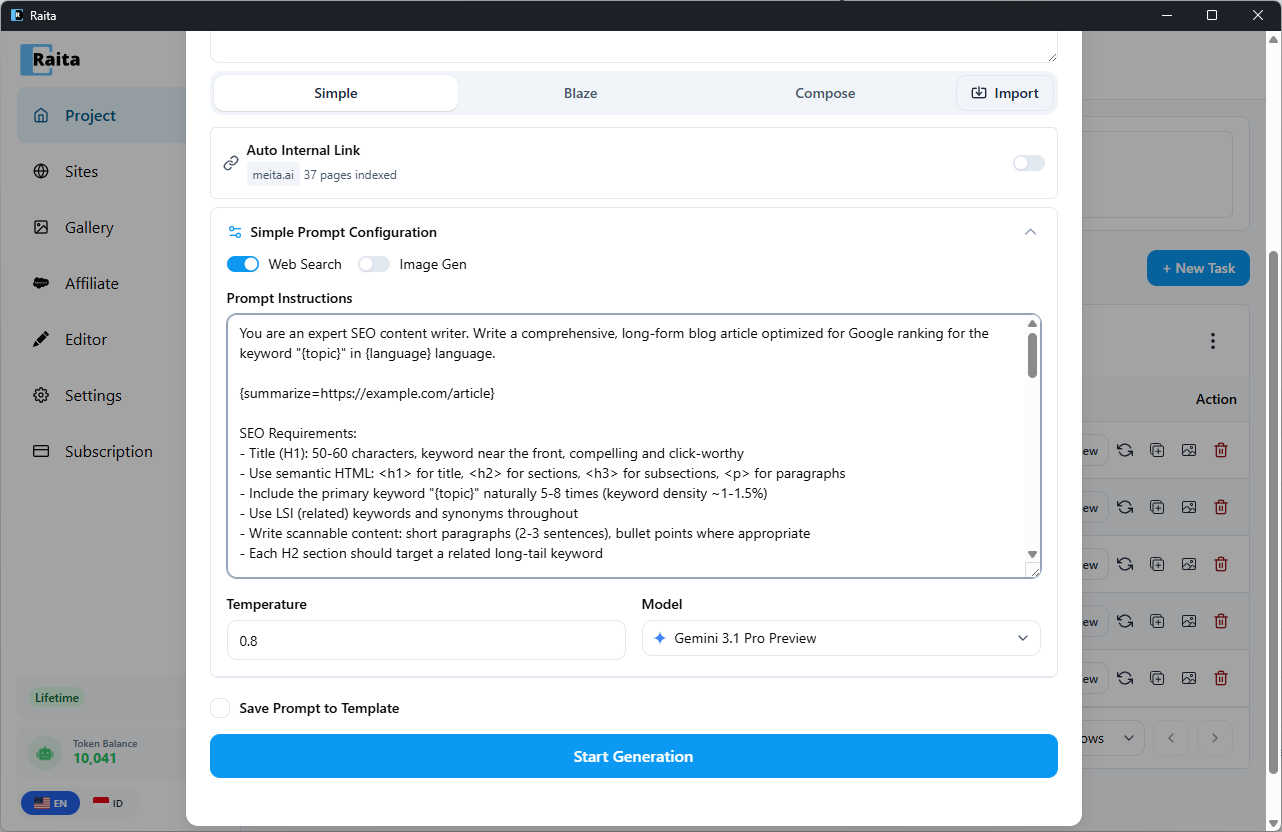
Scraper macros fetch and summarize external content at generation time. They are expanded after variable injection, so you can use variables inside macro arguments.
Short Aliases
These are convenience shortcuts that auto-expand to longer explicit macros:
| Alias | Expands to |
|---|---|
{bingSearch} | Bing search for {topicQueryParam}, summarized |
{googleSearch} | Google search for {topicQueryParam}, summarized |
{duckduckgoSearch} | DuckDuckGo search for {topicQueryParam}, summarized |
{yahooSearch} | Yahoo search for {topicQueryParam}, summarized |
{topThreeBingSummarized} | Top 3 Bing results for {topicQueryParam}, each summarized |
{topThreeGoogleSummarized} | Top 3 Google results for {topicQueryParam}, each summarized |
Usage example:
Research: {bingSearch}

Using the research above, write an article about {topic}.
Explicit Macros
For more control, use explicit macro syntax with a URL argument:
{scrap=URL}
Fetches the URL and uses AI to extract the most relevant content from the page.
Reference material: {scrap=https://example.com/source-article}

Write a unique article about {topic} inspired by the above.
{summarize=URL}
Fetches the URL and returns a structured summary (title, key points, main arguments).
Summary of competitor content: {summarize=https://competitor.com/article}
{summarizeNonStructured=URL}
Fetches the URL and returns a journalistic-style report (flowing prose, not bullet points).
{sitemap=URL}
Fetches a sitemap XML and asks the AI to pick the most relevant page for the current {topic}.
{sitemapSummarize=URL}
Fetches a sitemap, picks the most relevant page, then summarizes that page. Combines {sitemap=} and {summarize=}.
Context from my site: {sitemapSummarize=https://mysite.com/sitemap.xml}
{topThreeBingSummarized=QUERY}
Searches Bing for QUERY, fetches the top 3 results, and returns a summary of each.
Research: {topThreeBingSummarized={topicQueryParam}}
{topThreeGoogleSummarized=QUERY}
Same as above but uses Google.
{webSearch} — Provider-Level Web Search
{webSearch} is not a scraper macro. It is a flag that enables native web search at the AI provider level:
- OpenAI — switches to the
/v1/responsesAPI and attaches theweb_searchtool. The AI searches the web as part of its response generation. - Gemini — enables Google Grounding.
- OpenRouter / Custom — the flag is stripped; no web search occurs.
{webSearch} can be added via the Web Search toggle in the prompt editor, or typed directly into the prompt.
Performance Note
Scraper macros make HTTP requests and AI calls during prompt expansion. Prompts with multiple macros will take longer to generate. For topThree* macros, expect 3 additional AI calls per macro.