AI Provider Setup
Raita supports two ways to run article generation:
| Mode | How it works | Best for |
|---|---|---|
| Raita Managed | Uses Raita's cloud pipeline, billed in Raita tokens | Getting started quickly, no API accounts needed |
| BYOK (Bring Your Own Key) | Calls AI providers directly using your API keys | Full control, use your own API quotas |
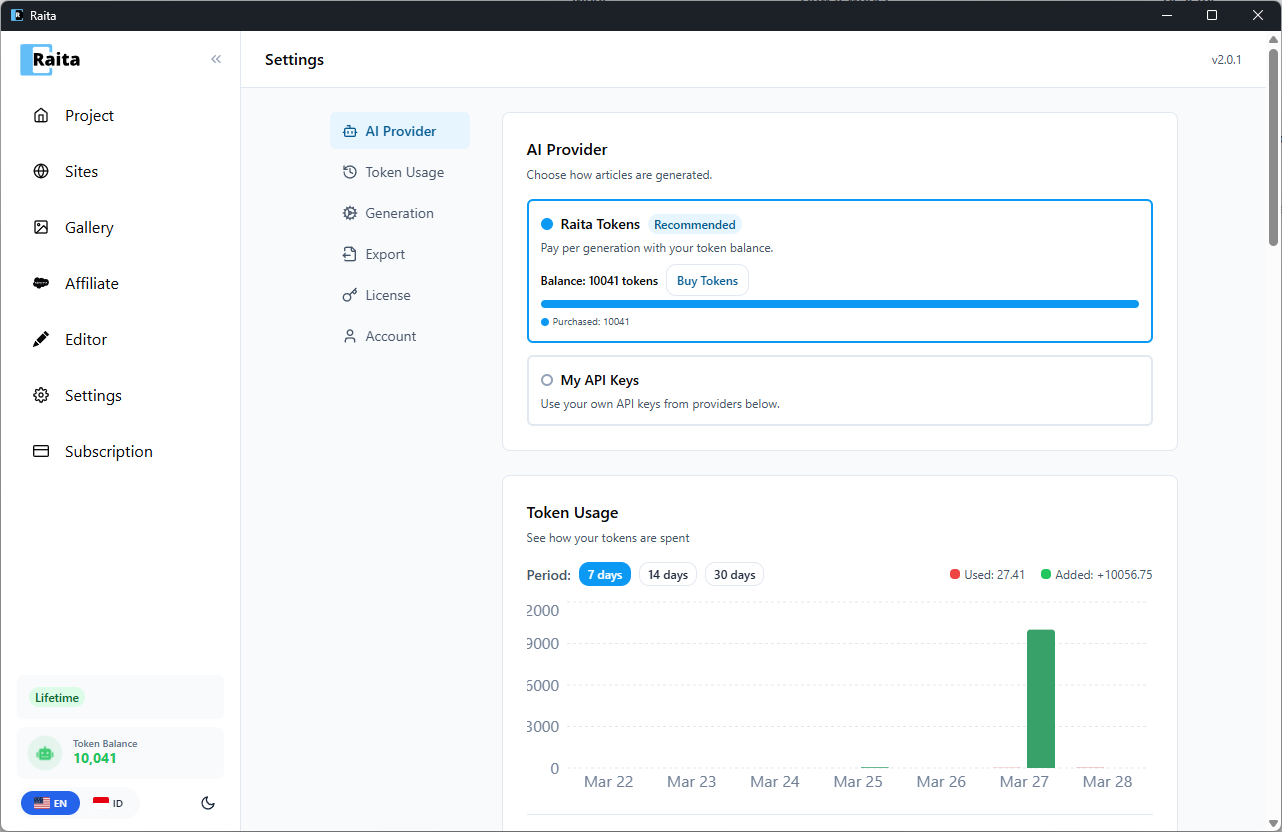
Setting Up Raita Managed
- Go to Settings → AI Provider
- Select Raita as the AI source
- Make sure you have tokens in your wallet (see Account Setup)
- Click Save
Setting Up BYOK
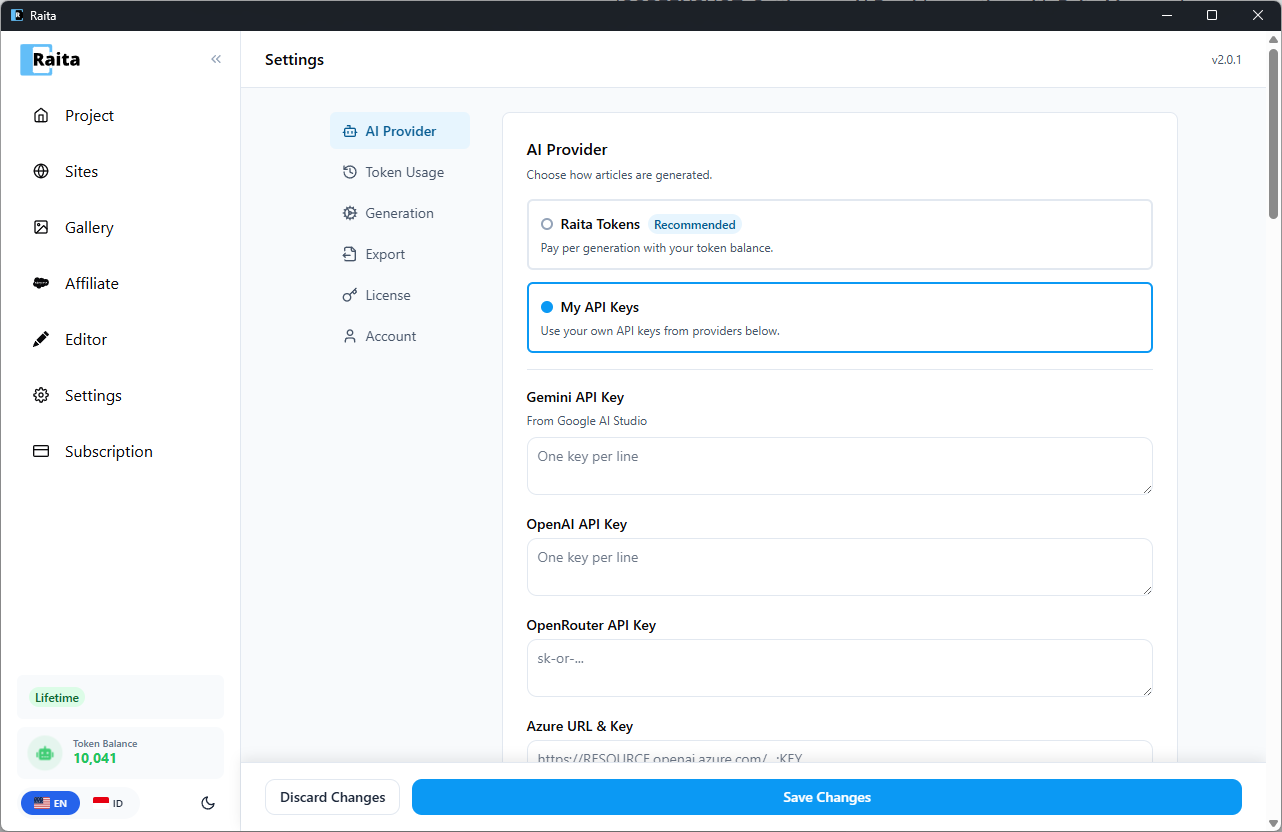
OpenAI
- Get an API key from platform.openai.com
- In Raita Settings → AI Provider, select OpenAI
- Paste your key into the OpenAI API Key field
- Click Save
Available models include GPT-4o, GPT-4o-mini, GPT-4.1, GPT-4.1 Mini. Web search is supported via OpenAI's web search tool.
Google Gemini
- Get an API key from aistudio.google.com
- Select Gemini in AI Provider settings
- Paste your key into the Gemini API Key field
- Click Save
Available models include Gemini 1.5 Pro, Gemini 1.5 Flash, Gemini 2.0 Flash. Grounding (web search) is supported.
Azure OpenAI
- Create an Azure OpenAI resource in the Azure portal
- Deploy a model (e.g.
gpt-4o) - In Raita Settings, select Azure
- Enter your Azure Endpoint URL, API Key, and Deployment Name
- Click Save
OpenRouter
- Get an API key from openrouter.ai
- Select OpenRouter in AI Provider settings
- Paste your key into the OpenRouter API Key field
- Click Save
OpenRouter gives access to many models from different providers through a single key.
Custom Endpoint
For any OpenAI-compatible API (local models via Ollama, LM Studio, etc.):
- Select Custom in AI Provider settings
- Enter the Base URL of your endpoint (e.g.
http://localhost:11434/v1) - Enter an API key if your endpoint requires one
- Click Save